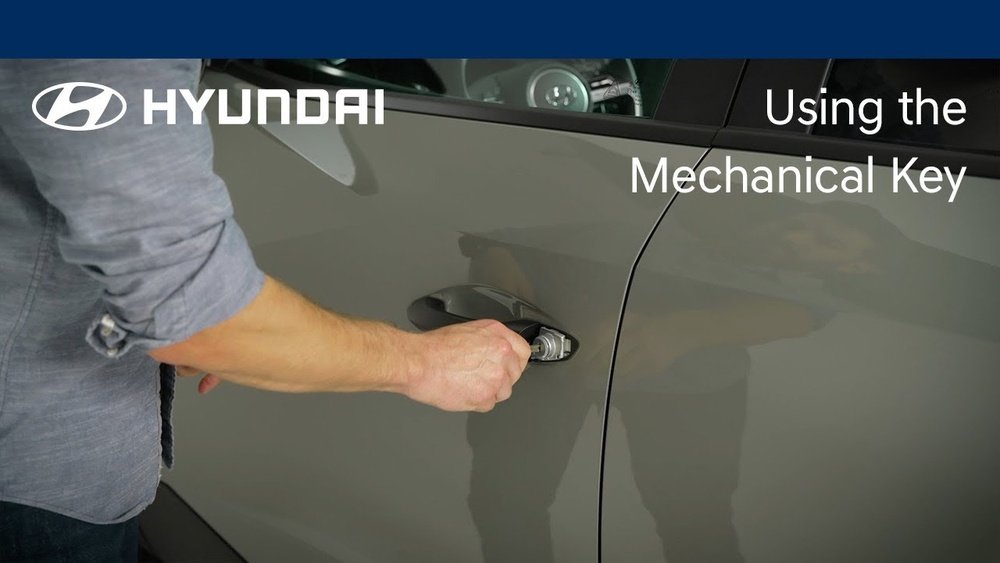
How to Start Hyundai Tucson With Mechanical Key: Easy Guide

Starting your Hyundai Tucson with the mechanical key may seem confusing, especially if you have always used the remote or smart key button. Sometimes, the battery in your key fob dies, or there are electronic issues. In these cases, knowing how to use the mechanical key is important. This guide will walk you through the process step-by-step, explain common mistakes, and help you feel confident if you ever face this situation.
Understanding The Hyundai Tucson Mechanical Key
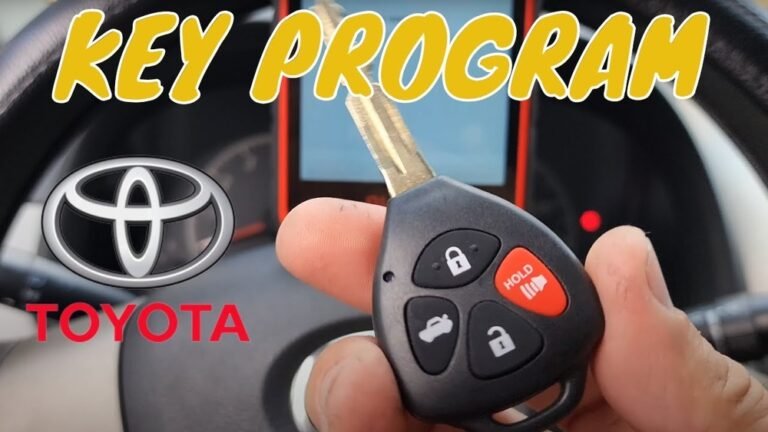
Many modern Hyundai Tucson models come with a smart key fob. Inside this fob, there’s a hidden mechanical key. This key is not just for unlocking the door; it can also start your Tucson when the fob battery is dead or the electronics fail.
Hyundai started including smart keys in their Tucson models around 2016, but even some older models have a mechanical key backup. The main difference between the smart key and the mechanical key is that the smart key uses electronic signals, while the mechanical key is a simple metal key that fits inside the ignition.
Why The Mechanical Key Matters
- Backup for emergencies: If your key fob battery dies, you won’t be locked out.
- Simple design: Even if electronic systems fail, you can still unlock and start your vehicle.
- No need for special tools: You don’t need any extra gadgets, just the key.
Many Tucson owners don’t realize they even have a mechanical key until there’s a problem. It’s a good idea to check your owner’s manual and become familiar with your key fob now.
How To Remove The Mechanical Key From The Fob
Before you can use the mechanical key, you need to take it out of the fob. Here’s how to do it:
- Find the release button: Look on the back or side of your Hyundai key fob. There’s a small button or latch.
- Press and hold the button: While holding the button, gently pull the bottom part of the fob.
- Slide out the key: The metal key will slide out easily. Don’t force it—if it’s stuck, check if you’re pressing the correct release.
Tip: Practice this at home so you’re not struggling if you’re locked out in bad weather.
Unlocking The Hyundai Tucson Door With The Mechanical Key
Once you have the mechanical key out, you can unlock your Tucson door manually:
- Find the keyhole: Most Hyundai Tucson models hide the driver’s side keyhole under a small plastic cover.
- Remove the cover: Gently insert the tip of the mechanical key into the slot on the underside of the cover. Pry it off gently (don’t use force).
- Insert the mechanical key: Put the key into the lock and turn it counterclockwise to unlock.
If you’ve never done this before, the cover may feel tight. Take your time—these are designed to protect the lock from dirt and weather.
Keyless Entry Vs. Mechanical Key
Here’s a quick comparison to help you understand the differences:
| Feature | Keyless Entry | Mechanical Key |
|---|---|---|
| Unlocks Doors | Remote Button | Manual Turn |
| Starts Engine | Push Button (with fob present) | Insert in Ignition (or special slot) |
| Works with Dead Fob Battery | No | Yes |
| Needs Power | Yes | No |
Starting The Hyundai Tucson With The Mechanical Key
How you start your Tucson with the mechanical key depends on your model year and whether you have a push-button start or a traditional ignition switch.
For Traditional Key Ignition Models
Some Hyundai Tucson models (especially older ones) have a traditional ignition where you insert the key and turn. Here’s what to do:
- Insert the mechanical key into the ignition slot.
- Turn the key to the ‘On’ position (all dashboard lights should turn on).
- Turn further to ‘Start’; the engine should start as usual.
This method is simple and works even if the battery in your fob is dead.
For Push-button Start Models
Most newer Tucson models use a push-button start. If your fob battery is dead, the button won’t recognize the fob electronically. But there’s a simple solution:
- Get in the car with the mechanical key and the dead fob.
- Hold the fob close to the START button. In most Tucsons, there’s a transponder inside the fob that the car can read even if the battery is dead.
- Press the START button with the fob itself (not your finger). The car should detect the fob and start.
Non-obvious insight: Many people don’t know that touching the button with the fob activates a backup system. You don’t need to replace the battery immediately.
How To Find The Emergency Slot
Some Hyundai Tucson models have a hidden emergency slot for the fob, usually in the center console or under the push-start button. If the above method doesn’t work:
- Look for a slot or a label near the center console.
- Insert the fob into the slot. The car will now recognize the fob and allow you to start.
Not all Tucsons have this feature, but it’s worth checking your manual or searching your car.

Credit: www.carsoncityhyundai.com
Common Problems And Mistakes To Avoid
Even with clear steps, you might face some challenges. Here are common mistakes and how to avoid them:
- Forcing the key: If the key won’t turn, don’t force it. Jiggle the steering wheel gently while turning the key.
- Losing the plastic cover: Place the cover somewhere safe after removing it; they are easy to misplace.
- Not checking the gear: For automatic Tucsons, always make sure the gear is in ‘P’ (Park) before starting.
- Battery confusion: If the car doesn’t start after using the mechanical key or fob, the main car battery might be dead, not just the fob.
Extra tip: If your Tucson still won’t start after these steps, check for other issues like anti-theft locks or call a Hyundai service center.
When To Use The Mechanical Key
You should use the mechanical key in these situations:
- Key fob battery is dead
- Remote is lost or damaged
- Electronic interference (sometimes, strong radio signals can block the fob)
- Car battery is weak or dead (in this case, you may be able to unlock but not start)
Don’t wait until you’re stuck—test your mechanical key when you have time. If it’s stuck or missing, get it checked by a Hyundai dealer.
How To Replace A Lost Mechanical Key
Losing your mechanical key can be stressful. Here’s what you should do:
- Contact your Hyundai dealership: They can cut a new key using your Vehicle Identification Number (VIN).
- Show proof of ownership: Bring your ID and car registration.
- Consider a spare: Always keep a spare mechanical key in a safe place at home.
Cost tip: Replacing a mechanical key is usually cheaper than replacing a smart fob.
Keeping Your Key In Good Condition
A bent or rusty mechanical key can get stuck. Here are some care tips:
- Check the key regularly for rust or damage.
- Don’t force the key into the lock if it feels tight.
- Keep the keyhole clean, especially if you live in a dusty or snowy area.
If you rarely use the mechanical key, try it once every few months to make sure it works smoothly.

Credit: www.youtube.com
When The Mechanical Key Won’t Work
Sometimes, the mechanical key itself fails. This might be due to:
- Worn lock cylinder
- Damaged key
- Frozen lock in winter
Here’s how you can deal with these issues:
- Lubricate the lock: Use a graphite lock lubricant, not oil.
- Warm up the key: In cold weather, warm the key in your hand before inserting it.
- Call for help: If the lock is jammed, call a locksmith or Hyundai service.
Advantages And Disadvantages Of The Mechanical Key
To help you decide when to use the mechanical key, here’s a comparison:
| Aspect | Mechanical Key | Smart Key Fob |
|---|---|---|
| Reliability | Works without battery | Needs battery power |
| Convenience | Manual operation | Automatic and remote |
| Security | Harder to hack | Advanced anti-theft |
| Replacement cost | Lower | Higher |

Credit: www.reddit.com
Extra Tips For Hyundai Tucson Owners
- Don’t panic if the key fob dies: The mechanical key is your backup.
- Teach all drivers: Make sure anyone who drives your Tucson knows how to use the mechanical key.
- Store the manual: Keep your car’s manual in the glove compartment for quick reference.
- Replace fob batteries regularly: Most last 2–3 years. Carry a spare if you travel far from home.
Real-life Example
A Tucson owner in Chicago once got locked out during a snowstorm because the fob battery died. They didn’t know about the mechanical key and had to call for help. Afterward, they learned how easy it is to unlock the car with the key and even started carrying a spare fob battery. This shows that knowing your backup options can save you time and stress.
Frequently Asked Questions
How Do I Know If My Hyundai Tucson Has A Mechanical Key?
Almost all Hyundai Tucson models from 2016 onward have a mechanical key hidden inside the fob. Check your key fob for a small release button or consult your manual.
Can I Start My Tucson If The Main Car Battery Is Dead?
No, the mechanical key lets you unlock the door, but if the main car battery is dead, the engine won’t start until you jump-start or replace the battery.
What Should I Do If The Mechanical Key Breaks?
If your mechanical key breaks, contact your Hyundai dealer. Bring your ID and car papers. They can cut a new key based on your VIN.
Is It Possible To Start The Tucson Without The Fob At All?
No, for most push-button start models, the car needs to detect the fob’s chip, even if the battery is dead. Only older models with traditional ignition can start with just the mechanical key.
Where Can I Find More Information About Hyundai Keys?
You can learn more about Hyundai keys and starting methods on the official Hyundai Owners website.
Getting comfortable with your Hyundai Tucson’s mechanical key is a smart move for any driver. A little practice now can save you from big headaches later. Whether you’re at home or on a road trip, you’ll be ready if your fob battery fails or you face an electronic glitch.
Remember, the mechanical key is more than just a backup—it’s your ticket to staying mobile in any situation.