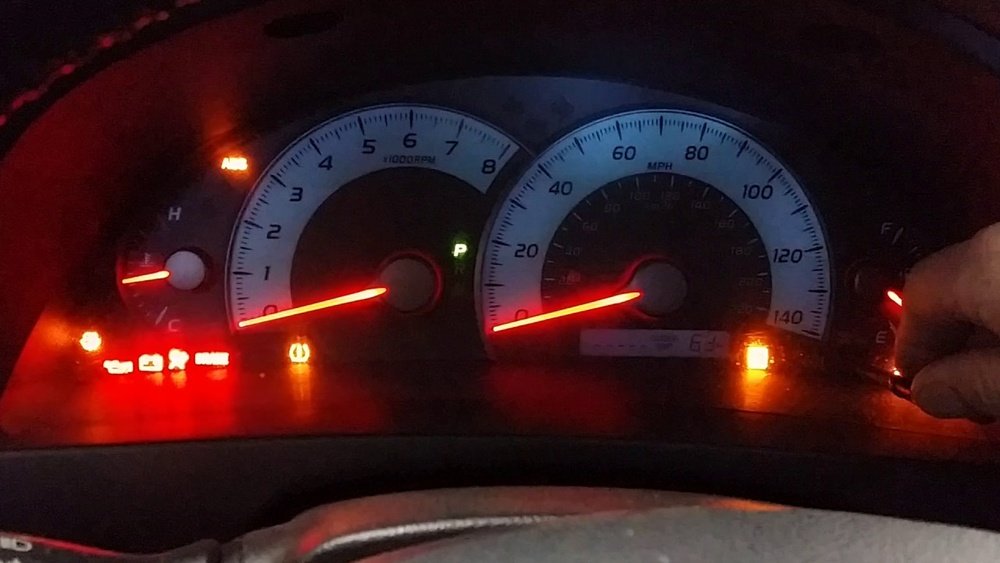
How to Reset Maintenance Light on 2011 Toyota Camry Fast

Resetting the maintenance light on your 2011 Toyota Camry can be confusing, especially if you’ve never done it before. Many drivers see the light turn on after an oil change or routine service and wonder if something is wrong with their car. The good news is, the maintenance required light is just a friendly reminder from your car’s computer. It does not mean your car is broken or unsafe to drive, but it’s important to reset it after each service. This makes sure you get accurate reminders for your next service.
Understanding how to reset this light not only saves you a trip to the mechanic, but it also helps you get more familiar with your car. This guide will walk you through each step in simple, clear language. Even if you have little experience working with cars, you can do this yourself in just a few minutes. We’ll cover why the light comes on, what you need to know before starting, detailed step-by-step instructions, troubleshooting tips, and answers to common questions. Let’s get started on making your Camry maintenance even easier.
What Does The Maintenance Light Mean?
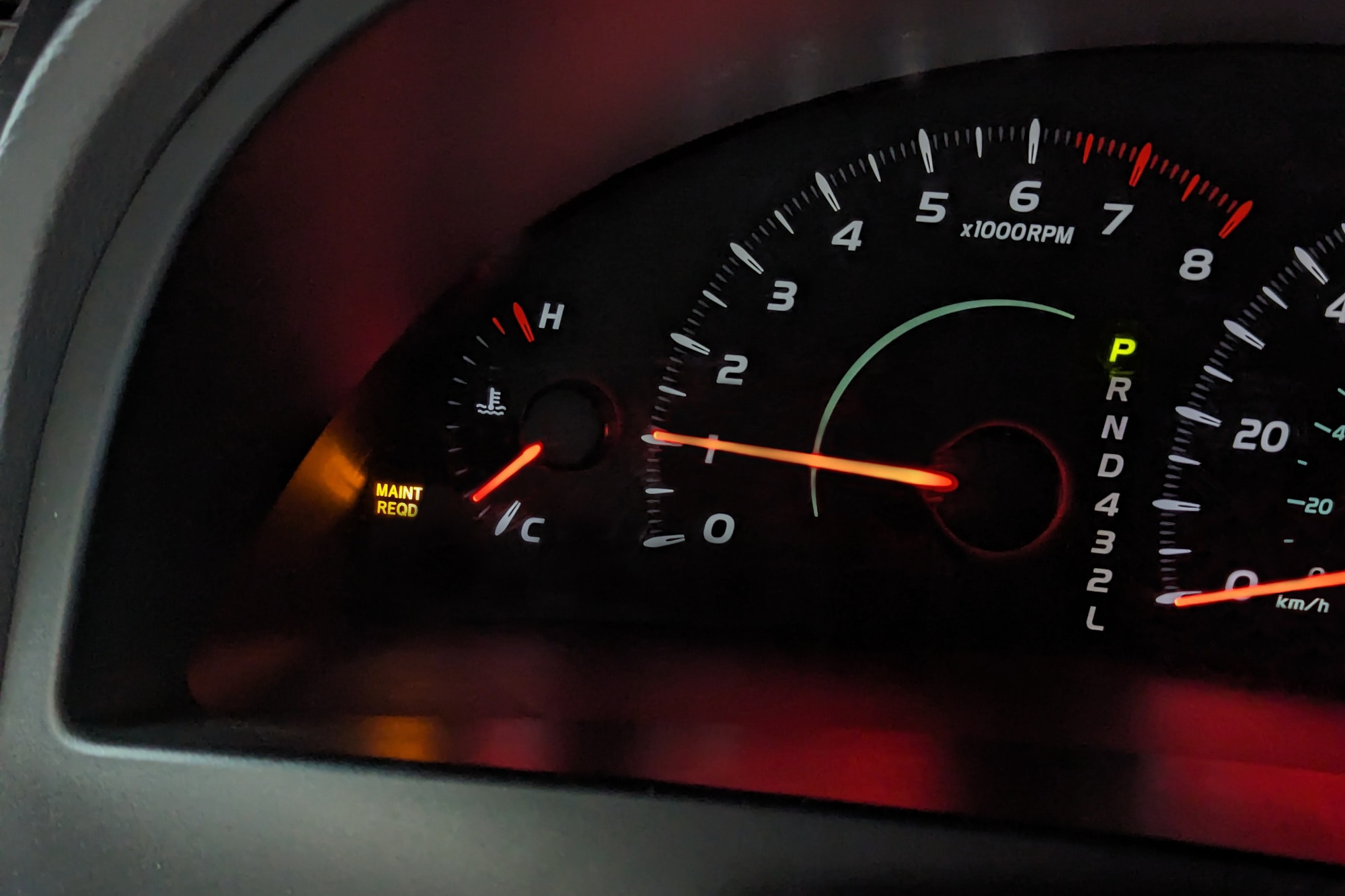
When you see the maintenance required light on your dashboard, it’s easy to worry. But on a 2011 Toyota Camry, this light is not a warning about a serious problem. Instead, it’s a reminder that your car needs regular maintenance, usually an oil change. Toyota’s system counts the miles since the last reset and turns on this light every 5,000 miles.
Ignoring the light won’t stop your car from running, but it can make you miss important services. Regular maintenance helps your Camry last longer, run better, and avoid bigger repair bills. If you just had your oil changed or did the service yourself, resetting the light will keep your reminders on track.
Before You Start: What You Need
Resetting the maintenance light does not require any special tools. You only need:
- Your 2011 Toyota Camry with the key or push-to-start fob
- Access to your car’s instrument panel
- A few quiet minutes
It’s best to park your car on a flat surface and make sure the engine is off before starting. If you have questions about oil changes or other maintenance, check your owner’s manual or visit Toyota’s official website for more details.
Credit: www.youtube.com
Step-by-step: How To Reset Maintenance Light On 2011 Toyota Camry
Follow these steps to reset the maintenance required light:
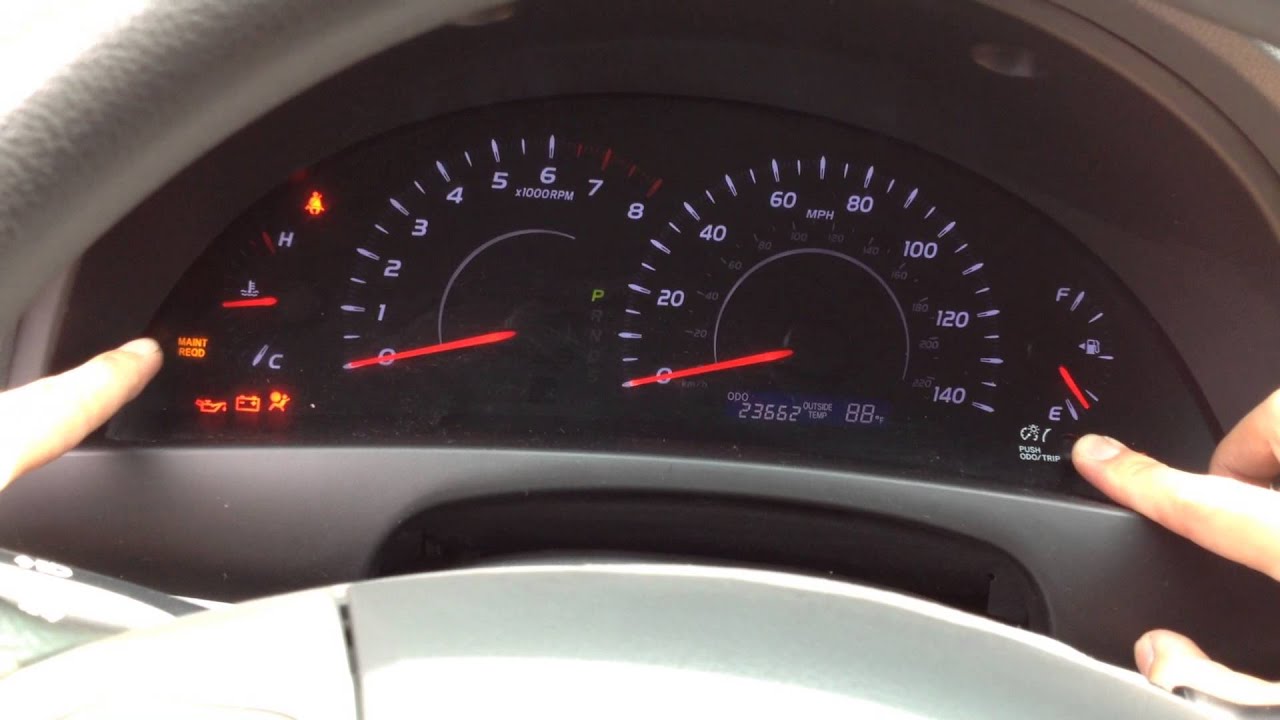
- Turn the ignition key to the “ON” position (do not start the engine). For models with push-to-start, press the button twice without pressing the brake.
- Set the odometer to display “ODO” (not Trip A or Trip B) by pressing the trip/reset button.
- Turn the ignition key to “OFF”.
- Press and hold the trip/reset button.
- While holding the button, turn the ignition key to “ON” (again, do not start the engine).
- Keep holding the button. You’ll see the odometer display a series of dashes or zeros. Wait until it returns to the normal odometer reading.
- Release the button. The maintenance light should turn off.
If you did the steps correctly, your light is now reset. If not, don’t worry—just repeat the steps slowly.
Example Of The Steps In Action
Imagine you just changed your oil and the light is still on. You sit in your parked Camry, press the trip button until “ODO” appears, turn the key off, press and hold the button, and turn the key back on.
After a few seconds, the dashes on the odometer disappear and the display goes back to normal. You let go of the button and the light is gone.
Important Tips And Common Mistakes
Most drivers can reset the light on their first try, but a few common mistakes can make it harder:
- Not selecting ODO: Make sure your odometer is showing total miles, not Trip A or B. This is the most common mistake.
- Turning the key too far: Do not start the engine during the process—just turn the key to “ON”.
- Letting go of the button too soon: Hold the button until all dashes or zeros finish flashing.
If the light stays on, try the steps again. Move slowly and check each part.
Why Resetting The Light Matters
Some drivers ignore the maintenance light after service, but this can cause problems. Here’s why resetting it is important:
- Keeps reminders accurate: If you don’t reset the light, your Camry may remind you too soon or too late next time.
- Helps with resale: A well-maintained car with correct service records and no warning lights is easier to sell.
- Avoids confusion: If someone else drives your car, they might think something is wrong if the light is on.
Resetting the maintenance light is a small step that makes a big difference in caring for your car.
How The Maintenance Reminder System Works
Toyota uses a simple system to keep you on track with oil changes and basic service. The system:
- Counts miles from the last reset
- Turns the light on after 4,500 miles as a warning, and then keeps it on after 5,000 miles
- Does not check the oil condition or engine problems
This means you must do the oil change when the light comes on, not just reset the light. Resetting without doing maintenance can lead to engine damage over time.
Non-obvious Insight: Why The Light Flashes First
Many drivers notice the light flashes at first, then stays on. The flashing is a “soft” reminder, telling you the service is due soon. When the light stays on, it means the service is overdue. This two-step reminder helps you plan ahead.
Credit: www.capitalone.com
What If The Light Still Won’t Reset?
Sometimes, the light stays on even after following all the steps. Here’s what you can try:
- Double-check the display: Make sure it shows “ODO” before starting.
- Check your battery: Low voltage or a weak battery can cause the system to act strangely.
- Look for error codes: If another warning light is on, there may be a different problem. You can use an OBD-II scanner or ask your mechanic.
- Try again slowly: Sometimes, moving too fast or missing a step will cause the reset to fail.
If nothing works, your Camry may need a quick check at a Toyota dealer or trusted mechanic.
Can You Reset The Light Without An Oil Change?
Technically, yes. The reset process does not check your oil. However, never reset the light without doing the actual maintenance. It’s easy to forget when your next oil change is due. Skipping oil changes can cause engine sludge, lower fuel efficiency, or even engine failure.
Professional Vs. Diy Reset: Which Is Better?
Some service shops reset the light for you after an oil change. If they forget, you can do it yourself with no harm. Here’s a quick comparison:
| Option | Cost | Time | Control |
|---|---|---|---|
| Professional reset | Free (with service) | Quick | Low |
| DIY reset | Free | Quick | High |
Doing it yourself gives you control and saves a trip to the shop.
How Often Should You Change Your Oil?
Toyota recommends changing your oil every 5,000 miles or 6 months, whichever comes first, for most 2011 Camry models. Using synthetic oil allows for longer intervals, sometimes up to 10,000 miles, but always check your owner’s manual for your specific engine type.
Non-obvious Insight: Driving Habits Matter
If you make many short trips or drive in dusty conditions, you may need to change your oil more often. City driving with frequent stops and starts is harder on oil than highway driving. Paying attention to your driving habits can help you avoid engine problems.
Other Dashboard Lights: Don’t Confuse Them
The maintenance required light is yellow and shaped like a small engine with words. It is different from the check engine light, which means there is a possible problem with your engine or emissions system.
If the check engine light is on, do not reset the maintenance required light until you know the problem is fixed. Resetting only the maintenance light will not clear engine problems.
Keeping Records After Resetting
After you reset the light and finish your oil change, write down the date and mileage. This helps you keep track of your service history, especially if you do your own oil changes. Many drivers use a small notebook or an app on their phone.
Here’s a simple way to track maintenance:
| Date | Mileage | Service |
|---|---|---|
| 5/10/2024 | 85,200 | Oil & filter change, reset light |
| 11/11/2023 | 80,200 | Oil & filter change |
This record can help with warranties, resale, or troubleshooting future problems.
When To See A Mechanic
If you reset the light and it comes back on right away, or if you notice strange noises, leaks, or performance problems, it’s best to see a mechanic. Regular maintenance is important, but so is listening to your car. Trust your instincts if something feels wrong.
Summary Of Steps For Quick Reference
- Turn ignition to ON (do not start engine).
- Set odometer to ODO (not Trip A/B).
- Turn ignition off.
- Hold trip/reset button.
- Turn ignition to ON, keep holding button.
- Wait for odometer to reset.
- Release button.
This process takes less than two minutes and keeps your reminders accurate.

Credit: www.reddit.com
Learning More About Your Camry
If you want to read more about Toyota maintenance schedules, oil types, or dashboard lights, the official Toyota owner’s site is a great resource. You can find manuals, how-to videos, and service tips at Toyota’s official owner’s manual portal.
Frequently Asked Questions
How Do I Know If My Maintenance Light Reset Worked?
If the maintenance required light no longer appears when you turn the ignition on, your reset was successful. If it flashes or stays on, repeat the steps slowly.
Is It Safe To Drive With The Maintenance Light On?
Yes, it is safe to drive for a short time with the light on, but you should schedule maintenance soon. The light is a reminder, not a warning of danger.
Will Resetting The Maintenance Light Fix Engine Problems?
No, resetting the light only clears the maintenance reminder. If you have engine trouble, warning lights, or error codes, see a mechanic.
Can I Reset The Light If I Don’t Have The Owner’s Manual?
Yes. The steps in this guide work for all 2011 Toyota Camry models. If you ever lose your manual, you can download a free copy from Toyota’s website.
What Happens If I Forget To Reset The Maintenance Light?
Your Camry will keep reminding you until you reset it. This can cause confusion about when your next service is due. It’s best to reset it right after service to keep your schedule accurate.
Taking care of your 2011 Toyota Camry is simple with a little knowledge. Resetting the maintenance required light is a quick DIY task that keeps your car’s reminders accurate and your engine healthy. With these clear steps and tips, you’ll stay on top of your car’s maintenance and feel more confident every time you drive.