How to Check Tire Pressure on Toyota App: Quick Guide

Many Toyota owners today want to keep their cars in top shape with the help of technology. One useful feature is the ability to check your tire pressure using the official Toyota App. For beginners, this task may sound complicated, but it’s actually simple once you know the steps. Monitoring tire pressure is essential for safety, fuel efficiency, and longer tire life. If you have never used a car app before or are unsure how digital tire pressure monitoring works, this guide will help you every step of the way.
This article explains everything you need to know, from setting up the Toyota App to understanding what the numbers mean. You’ll also learn how to solve common issues, get the most accurate readings, and compare the app with other ways to check tire pressure.
Whether you have a brand-new Toyota or a model from recent years, you’ll find practical advice to help you feel confident.
Why Tire Pressure Matters
Many drivers overlook tire pressure, but it affects almost every part of your driving experience. When tires are too low or too high, your car’s handling changes, and it can even become dangerous. Low pressure increases the chance of a flat tire and uses more fuel. High pressure can cause a rough ride and uneven tire wear.
According to the National Highway Traffic Safety Administration (NHTSA), under-inflated tires are three times more likely to cause a crash compared to properly inflated ones. Keeping your tires at the right pressure can improve fuel economy by up to 3%, which saves money over time.
What Is The Toyota App?
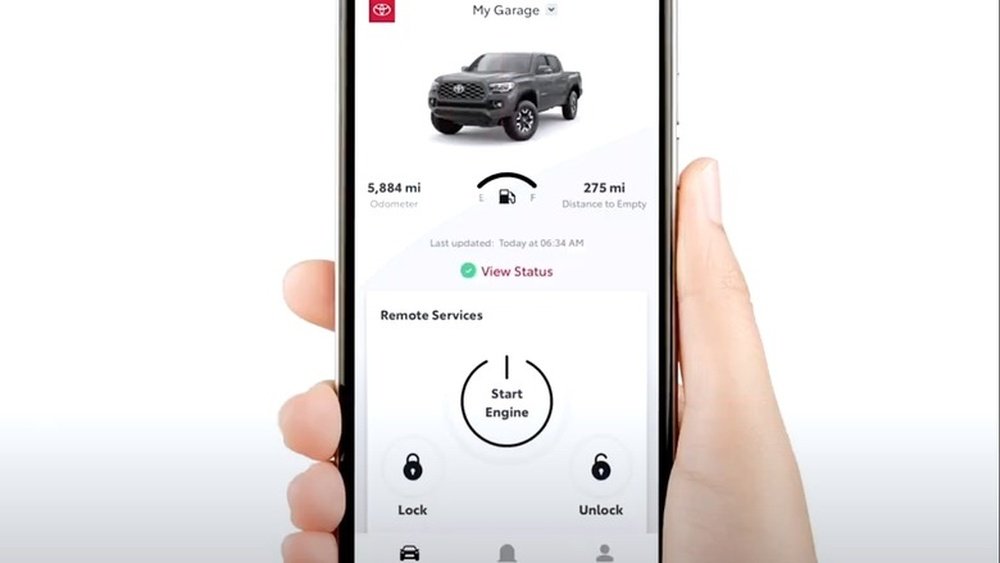
The Toyota App is a free smartphone application that connects you to your car’s features and information. You can use it for remote start, vehicle health reports, locating your car, and checking tire pressure (for compatible vehicles). The app is available for both iOS and Android devices.
Not all Toyota models have the same features in the app. Tire pressure monitoring works only if your car has a Tire Pressure Monitoring System (TPMS) and is linked to Toyota’s connected services. Most models from 2018 and later support this function.

Credit: www.reddit.com
Setting Up The Toyota App
Before you can check your tire pressure, you need to set up the Toyota App. Here’s how to do it, even if you’re a beginner:
- Download the Toyota App: Go to the Apple App Store or Google Play Store and search for “Toyota App.” Download and install it on your smartphone.
- Create an Account: Open the app and follow the prompts to set up a Toyota account. You’ll need an email address and a password.
- Add Your Vehicle: Enter your car’s Vehicle Identification Number (VIN). You can find this on the driver’s side dashboard or inside the driver’s door.
- Enable Connected Services: If your car supports connected services, activate them. Usually, this means agreeing to terms and connecting your car through the app.
- Pair with Your Car: Follow the instructions to link your phone and vehicle. You may need to sit in your car and turn on the ignition.
Pro Tip
If you have trouble finding your VIN or setting up connected services, your Toyota dealer can help for free.
How To Check Tire Pressure On The Toyota App
Once your car is connected, you’re ready to check the tire pressure. Here’s a beginner-friendly step-by-step guide:
- Open the Toyota App on your phone.
- Log in if you’re not already signed in.
- Select Your Vehicle from the app dashboard.
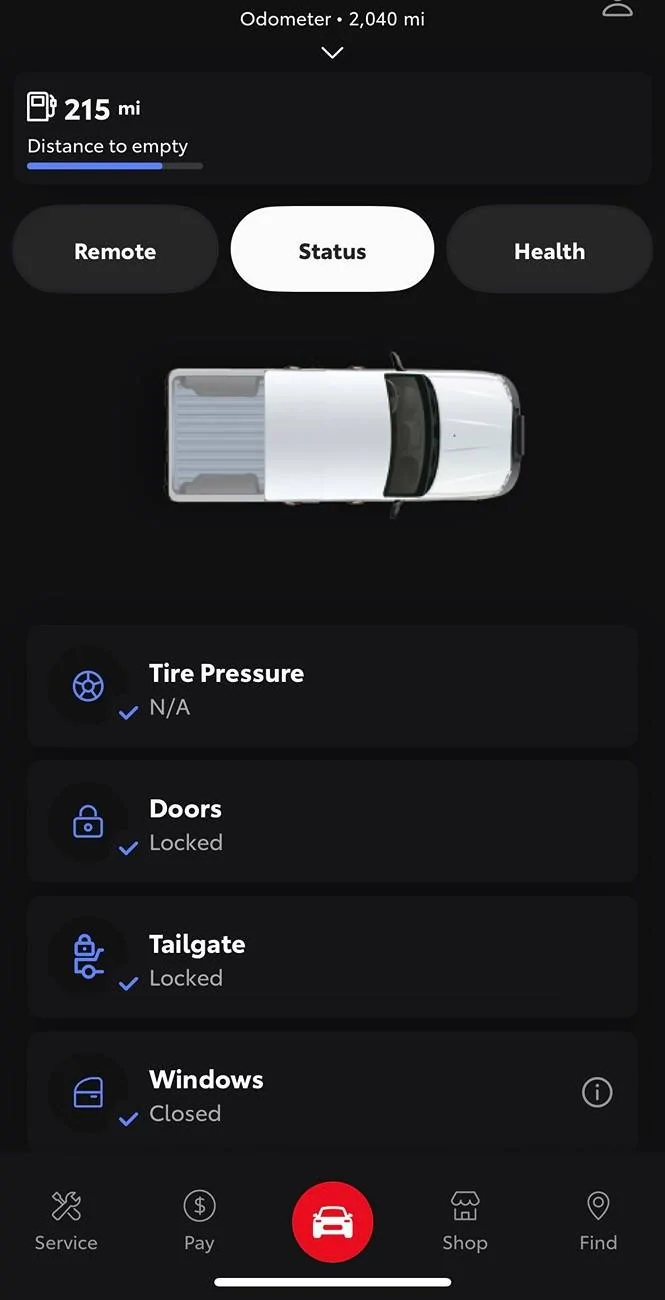
- Go to Vehicle Health: Look for the “Vehicle Health” or “Status” section. The wording may be a little different depending on your car model.
- Find Tire Pressure Details: Inside Vehicle Health, there should be an option like “Tire Pressure” or a small tire icon. Tap it.
- View Tire Pressure: The app will display the current pressure for each tire in psi (pounds per square inch).
What You’ll See
You’ll usually see a graphic showing all four tires with numbers next to each one. This is your live tire pressure data, sent from the car’s sensors.
Example Display
Most Toyota apps show something like:
- Front Left: 33 psi
- Front Right: 34 psi
- Rear Left: 32 psi
- Rear Right: 33 psi
If a tire’s number is much lower or higher than the others, it may be highlighted in yellow or red. This means you need to check that tire soon.
How Accurate Is The Toyota App?
The app uses data from your car’s Tire Pressure Monitoring System (TPMS). These sensors are usually accurate within ±1 psi. However, tire pressure can change a little as you drive, especially if the tires are hot or cold.
Here’s a simple comparison between different ways to check tire pressure:
| Method | Accuracy | Convenience | Cost |
|---|---|---|---|
| Toyota App | ±1 psi | Very High | Free (with compatible car) |
| Manual Gauge | ±0.5 psi (quality gauge) | Medium | $10–$30 |
| Dashboard Light | Low (only alerts when problem) | High | Free |
Understanding The Numbers: What Is The Right Tire Pressure?
The correct tire pressure is not the same for every car. For most Toyota cars, the recommended range is 32–36 psi. You can find your car’s exact number on a sticker inside the driver’s door or in the owner’s manual.
Common Tire Pressure Numbers For Toyota Models
| Model | Front Tires (psi) | Rear Tires (psi) |
|---|---|---|
| Corolla | 33 | 32 |
| Camry | 35 | 35 |
| RAV4 | 35 | 35 |
| Highlander | 36 | 36 |
Important: Never use the maximum pressure shown on the tire itself. Always use the numbers from Toyota, which are based on safety and performance.
What To Do If Tire Pressure Is Low
If the app shows low pressure, don’t panic. Here’s what you should do:
- Check Which Tire Is Low: The app tells you exactly which tire is the problem.
- Drive Carefully: If possible, avoid fast driving or sharp turns until you fix the tire.
- Add Air: Go to a gas station or use a home air pump. Fill the tire to the recommended psi.
- Recheck with the App: After adding air, check the app again to confirm the pressure is correct.
- Look for Damage: If the same tire loses air often, there may be a small leak. Visit a tire shop to have it checked.
Non-obvious Tip
If you fill your tires when they are hot (after driving), the pressure will show higher than when they are cold. It’s best to measure and fill tires when they are cold, usually in the morning.
Toyota App Vs. Dashboard Warning Light
Many drivers wonder if they can trust the app more than the dashboard warning light. Here are the differences:
- The dashboard light only turns on when a tire is dangerously low or high.
- The Toyota App gives you the exact pressure for each tire, so you can spot small problems before they become serious.
This means you can fix small issues earlier, saving money and keeping your ride smoother.
Solving Common Issues With Tire Pressure Monitoring
Sometimes, you may find the Toyota App doesn’t show your tire pressure correctly. Here are the most common problems and how to fix them:
- App Not Showing Data: Make sure your car is compatible and connected. Some older models do not send tire pressure to the app.
- Outdated App: Update the app in the App Store or Google Play.
- Weak Car Signal: If your car is in a parking garage or far from your phone, the app may not update. Move your car to an open area.
- Sensor Problems: If the same tire always shows low or high pressure, the sensor might be dirty or damaged. Ask your Toyota dealer to check it.
Non-obvious Insight
If you just rotated your tires, the app may take a little time to update the correct positions. Wait a few miles of driving, and it should sort itself out.
Advanced Tips For Getting The Most Accurate Readings
Even beginners can get better results by following a few expert tips:
- Check in the Morning: Tire pressure is most accurate when tires are cold.
- Update the App Often: App updates fix bugs and improve connection.
- Set Reminders: Use the app to set reminders to check pressure every month.
- Know Seasonal Changes: Tire pressure drops in cold weather and rises in heat. It’s normal to adjust a few times a year.
Credit: www.reddit.com
Comparing The Toyota App With Other Brands
If you’re curious how Toyota’s system compares to other carmakers, here’s a quick look:
| Brand | App Feature | Shows Each Tire? | Real-Time Updates? |
|---|---|---|---|
| Toyota | Tire pressure monitoring | Yes | Yes |
| Honda | Tire pressure alert | No (general alert only) | No |
| Ford | Tire pressure display | Yes | Yes |
| Hyundai | Tire pressure monitoring | Yes | No (delayed) |
Toyota’s app is one of the few that shows real-time pressure for each tire, which makes it stand out among competitors.
Safety Benefits Of Monitoring Tire Pressure
Proper tire pressure isn’t just about saving money. It’s a major safety factor. According to the NHTSA, about 11,000 tire-related crashes happen each year in the US. Most are due to under-inflated tires.
With the Toyota App, you can reduce your risk by spotting problems early. This is especially helpful for new drivers, busy parents, or anyone who wants peace of mind on the road. For more information about tire safety, you can visit the official NHTSA Tire Safety page.
When To Check Tire Pressure
Many people only check tire pressure when the dashboard warning light comes on. This is a mistake. Here’s when you should check, even if you have the app:
- Once a month
- Before long road trips
- When the weather changes a lot (hot to cold, or cold to hot)
- If your tires look low or uneven
Setting a reminder in the app can help make this a habit.
The Value Of Using The Toyota App
Using the Toyota App to check tire pressure gives you several advantages:
- Convenience: No need to carry or learn a manual tire gauge.
- Early Warnings: Fix small problems before they become big.
- Peace of Mind: Know your car is safe, wherever you are.
Many beginners don’t realize that checking tire pressure regularly also means fewer surprises—no more sudden flat tires or poor handling on a rainy day.
Taking a few minutes each month to use the app can make a big difference in your car’s performance and your own confidence as a driver.
Credit: www.tacoma4g.com
Frequently Asked Questions
How Do I Know If My Toyota Supports Tire Pressure Monitoring In The App?
Most Toyota models from 2018 and newer support this feature, but it depends on the TPMS and connected services package. Check your owner’s manual or ask your dealer for details.
Do I Need Internet Access To Check Tire Pressure On The Toyota App?
Your phone needs an internet connection, and your car needs to be in an area with a good signal. The app uses data to communicate with your car and show real-time pressure.
My App Shows Different Numbers Than My Manual Gauge. Which One Is Correct?
Both are usually close, but a high-quality manual gauge is often more accurate. If you see a big difference, check if your app and car sensors need service.
Can I Use The Toyota App With More Than One Vehicle?
Yes, you can add and monitor multiple Toyota cars in the same app, as long as each one supports connected services and is added with its own VIN.
What Should I Do If The App Says A Tire Is Very Low, But It Looks Fine?
Don’t ignore the warning. Sometimes a small leak or a slow puncture is hard to see. Add air to the recommended pressure and watch the app for changes over the next few days.
Keeping your tires at the right pressure is one of the easiest ways to drive safely and save money. With the Toyota App, this is now simpler than ever—even for beginners. By making this check part of your routine, you’ll enjoy smoother drives, better fuel economy, and more peace of mind every time you get behind the wheel.