How to Change Clock on Nissan Rogue: Quick and Easy Steps

Changing the clock in your Nissan Rogue might seem like a small task, but it can feel confusing if you are new to the car’s dashboard or technology. Whether you just bought your Nissan Rogue, have switched time zones, or daylight saving time just started or ended, knowing how to adjust your clock is a basic but useful skill. This guide will walk you through step-by-step instructions for different model years, share helpful tips, and answer common questions—all in simple, clear English. By the end, you’ll be confident in setting your Rogue’s clock, no matter the situation.
Why Knowing How To Change Your Clock Matters
Many drivers ignore their dashboard clock or rely only on their phone. But keeping your car clock accurate is important. It helps you plan trips, manage appointments, and avoid confusion, especially if you share your car with others. Also, some car systems and scheduled maintenance reminders use the car’s clock, so accuracy matters for more than just timekeeping.
New Nissan Rogues often have touchscreen displays and automatic updates, but older models use physical buttons or knobs. Understanding the differences will save you time and frustration.
Different Nissan Rogue Models And Clock Settings
Nissan Rogue has seen many design updates since its launch. How you change the clock depends on your model year and the type of dashboard system your vehicle has.
| Model Year | Dashboard Type | Clock Adjustment Method |
|---|---|---|
| 2013 and earlier | Analog/Basic Digital | Physical Buttons |
| 2014-2020 | Touchscreen/Advanced Digital | Touchscreen Menus |
| 2021 and newer | Intelligent Display | Touchscreen or Voice Commands |
Most drivers are surprised to learn that the method can change even within the same generation if your trim level is different. Always check your owner’s manual for your specific model, but the instructions below cover the most common methods.

Credit: wolfchasenissan.com
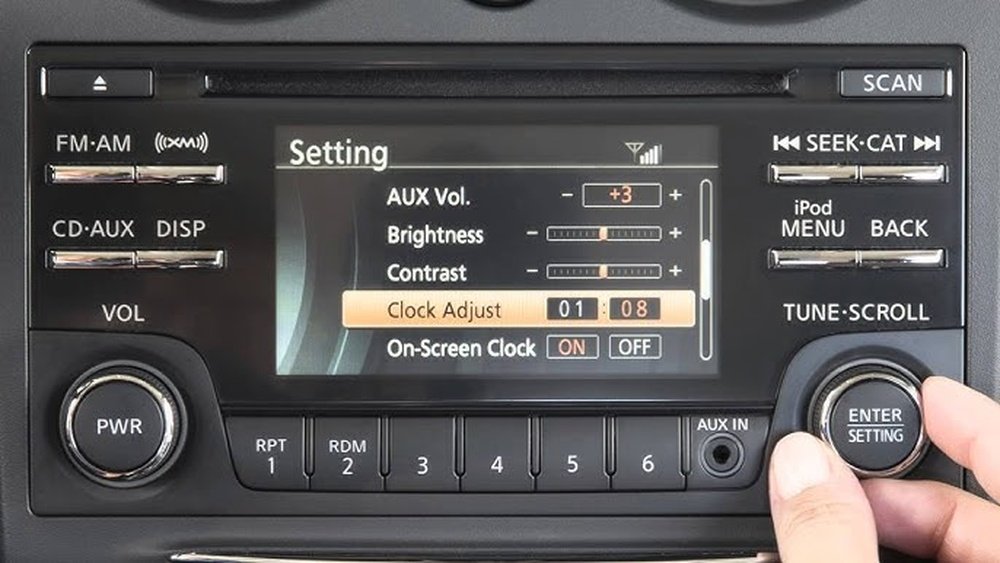
Changing The Clock On 2013 And Earlier Nissan Rogue
Older Nissan Rogues have simple controls, which can be easier for many users. Here’s how to change the time:
1. Locate The Clock Buttons
Look for small buttons labeled “H” (hour) and “M” (minute) near your car’s clock display. They are often on the radio panel.
2. Turn On The Ignition
Make sure your car’s key is in the ON or ACC position. The clock display should be visible.
3. Set The Hour
Press and hold the “H” button. The hour number will start to change. Release when you reach the correct hour.
4. Set The Minutes
Press and hold the “M” button to adjust the minutes. Release when the correct minute shows.
5. Check And Confirm
Double-check the time. If you go past your desired time, you may need to cycle through again.
Non-obvious insight: Many drivers forget that these buttons can be quite small and may require a firm press. Sometimes, the clock adjusts in steps (e.g., holding for fast change, tapping for single minutes).
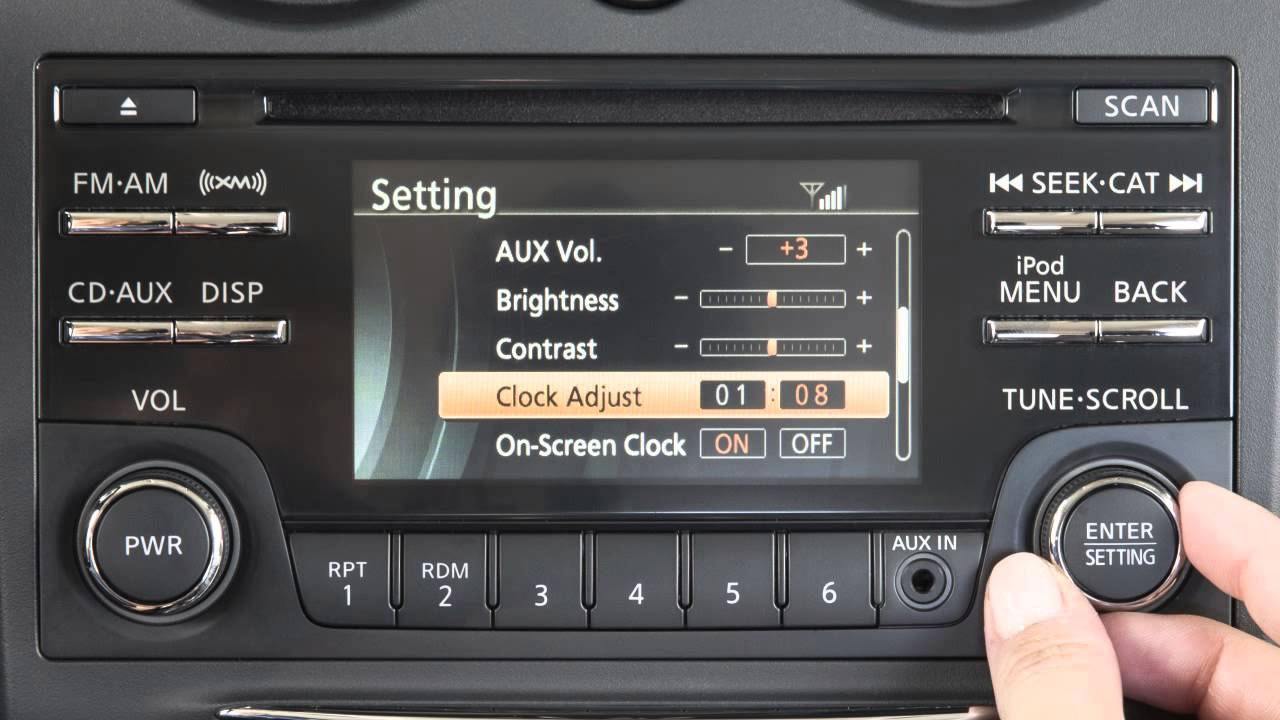
Changing The Clock On 2014–2020 Nissan Rogue (touchscreen Models)
Rogues from these years often include a touchscreen infotainment system. The process is more visual and involves on-screen menus.
1. Start Your Vehicle
The system must be powered for you to access the clock settings.
2. Access The Settings Menu
Press the “Menu” or “Settings” button on your infotainment screen.
3. Navigate To Clock Settings
Look For A Menu Labeled “clock,” “time,” Or Sometimes “system.”
- Adjust Time Manually or Automatically
- If your system supports it, you can choose “Auto” to let GPS or radio signals set the time for you.
- For manual adjustment, select “Set Clock Manually.”
- Change Hours and Minutes
Use the on-screen arrows or plus/minus buttons to set the correct time.
6. Save Your Settings
Press “OK” or “Save” to confirm. Some systems save automatically when you exit the menu.
Practical tip: If your Rogue supports automatic time updates, make sure your location settings are correct, or the clock could be off by an hour.
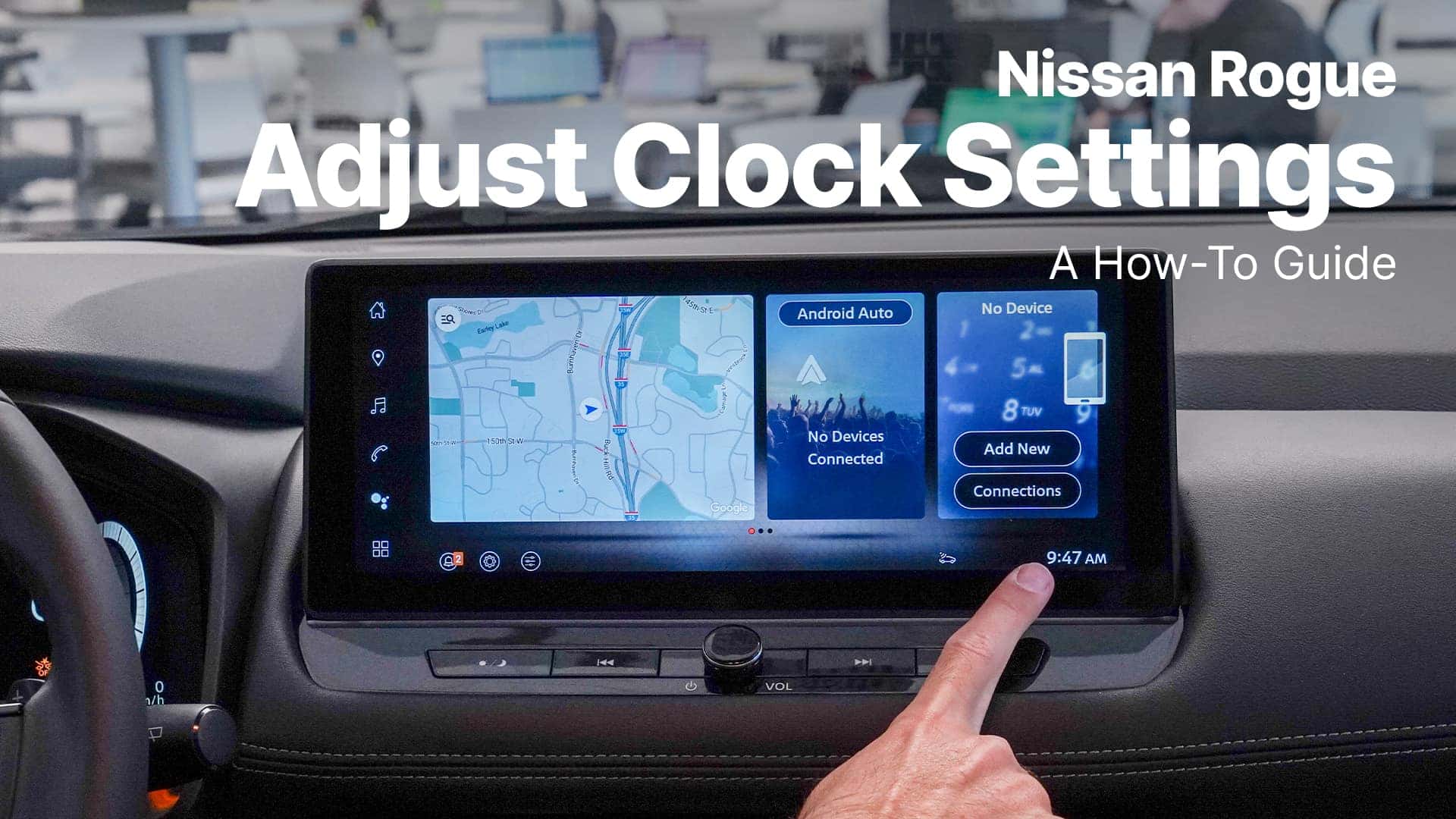
Changing The Clock On 2021 And Newer Nissan Rogue
The latest Nissan Rogues come with advanced Intelligent Display and, in some cases, voice controls. The process is similar to recent models but adds more features.
1. Start The Car
Use the push button or key to power up the display.
2. Open The Settings Menu
Tap the “Settings” icon on the main screen.
3. Select “clock” Or “time”
This Section May Be Grouped Under “general” Or “system.”
- Choose Setting Method
- Automatic: If your Rogue has GPS, select “Set Time Automatically.”
- Manual: Tap “Adjust Manually.”
- Set the Time
Use on-screen controls to change hours and minutes.
6. Adjust Time Zone And Daylight Saving
Newer Rogues often let you pick your time zone or enable/disable daylight saving time.
7. Save And Exit
Confirm your changes. Double-check the display to make sure the time is correct.
Beginner’s insight: Sometimes, the clock will reset to factory time after a battery change. Be ready to adjust it again if you recently replaced your car battery.
Using Voice Commands (if Available)
Some 2021+ Nissan Rogue models support voice commands for changing the clock. This is especially helpful if you want to keep your hands on the wheel.
- Press the “Voice” button on your steering wheel.
- After the beep, say: “Set clock” or “Change time.”
- Follow prompts to adjust the hour or minute.
- Confirm your selection.
Important: Voice commands work best when you speak clearly and in English. Accents or background noise can sometimes cause errors.
Credit: www.youtube.com
Common Problems And Solutions
Changing the clock is usually easy, but some drivers face challenges. Here are frequent issues and how to fix them:
- Buttons Not Responding:
If physical buttons do not work, try turning the ignition fully on. Some settings are locked in accessory mode.
- Clock Resets After Battery Change:
This is normal. Just repeat the clock-setting process.
- Time Won’t Save:
On touchscreen models, make sure you press “Save” or “OK. ” Exiting the menu too quickly may cancel your changes.
- Time Zone Incorrect:
Check your system’s location and time zone settings, especially if you just traveled or moved.
- Daylight Saving Issues:
Some models do not adjust automatically. You may need to add or subtract an hour manually in spring or fall.
Quick Reference Table: Clock Setting Methods By Year
Here’s a handy guide for different Nissan Rogue years:
| Model Year | Method | Special Features |
|---|---|---|
| 2013 and earlier | Physical Buttons | Simple, direct, no menus |
| 2014-2020 | Touchscreen Menus | Auto/manual, time zone select |
| 2021 and newer | Touchscreen/Voice | Time zone, daylight saving, voice |
Credit: www.walsernissanwayzata.com
Tips For A Smooth Clock Setting Experience
- Read the Owner’s Manual:
Each Nissan Rogue may have slight differences. The manual is a great place to check if you’re stuck.
- Be Patient With Touchscreens:
Sometimes, touchscreens can lag or misread touches. Move slowly and tap only once.
- Check for Software Updates:
Infotainment systems may get updates from your Nissan dealer. If you notice new features or changes, review clock settings again.
- Practice During Daylight:
Adjusting the clock is easier when you can see all buttons and screens clearly.
- Ask for Help If Needed:
Service advisors at your Nissan dealership can show you how to set the clock if you’re unsure.
What Beginners Often Miss
1. Automatic Clock Set Isn’t Always Right:
Many people think if you enable auto-set, the clock will always be correct. Sometimes, signal issues or incorrect location settings can cause errors. It’s good to check your clock after major changes like long road trips or battery replacements.
2. Power Modes Matter:
On older models, some functions are only available when the ignition is fully ON, not in ACC mode. If you can’t adjust the clock, make sure the car is fully powered.
What To Do If You Get Stuck
If your Nissan Rogue’s clock won’t change or displays the wrong time even after following these steps:
- Try resetting your infotainment system. This is usually done by holding the power button for a few seconds.
- Make sure your car’s battery isn’t weak. Low battery voltage can cause system errors.
- For persistent problems, visit your dealer. There could be a system fault or a need for a software update.
Safety Note
Never try to adjust your clock while driving. Always set the time when parked safely.
Where To Find More Help
If you prefer video, Nissan’s official YouTube channel has step-by-step guides for most model years. You can also find written guides at the official Nissan Owners Portal.
Frequently Asked Questions
How Do I Change The Clock If My Nissan Rogue Has No Touchscreen?
If your Rogue does not have a touchscreen, look for small “H” and “M” buttons near your radio or clock display. Use these to adjust the hour and minute. You may need to turn the ignition to the ON position to make changes.
Why Does My Nissan Rogue Clock Reset After I Change The Car Battery?
When the battery is disconnected, the clock loses power and returns to its default setting. This is normal for most vehicles. Simply follow the clock-setting steps for your model to set the correct time again.
Can My Nissan Rogue Set The Clock Automatically?
Yes, many 2014 and newer Rogues support automatic clock setting using GPS or radio signals. Check the clock menu in your infotainment system and look for an “Automatic” or “Auto Set” option. Make sure your location settings are correct for best results.
What If My Clock Changes Time By Itself Or Is Always Wrong?
If the clock keeps changing by itself, check your system’s time zone and daylight saving settings. Sometimes, automatic updates receive incorrect data. You can switch to manual mode to avoid these problems.
Is It Safe To Change The Clock While Driving?
It is not safe to change your car’s clock while driving. Always park safely before making adjustments. This helps prevent distractions and keeps you and your passengers safe.
Setting the right time in your Nissan Rogue makes every trip smoother and helps you stay on schedule. With these beginner-friendly steps, you’ll always know the correct time—whether you have a classic Rogue or the latest model.